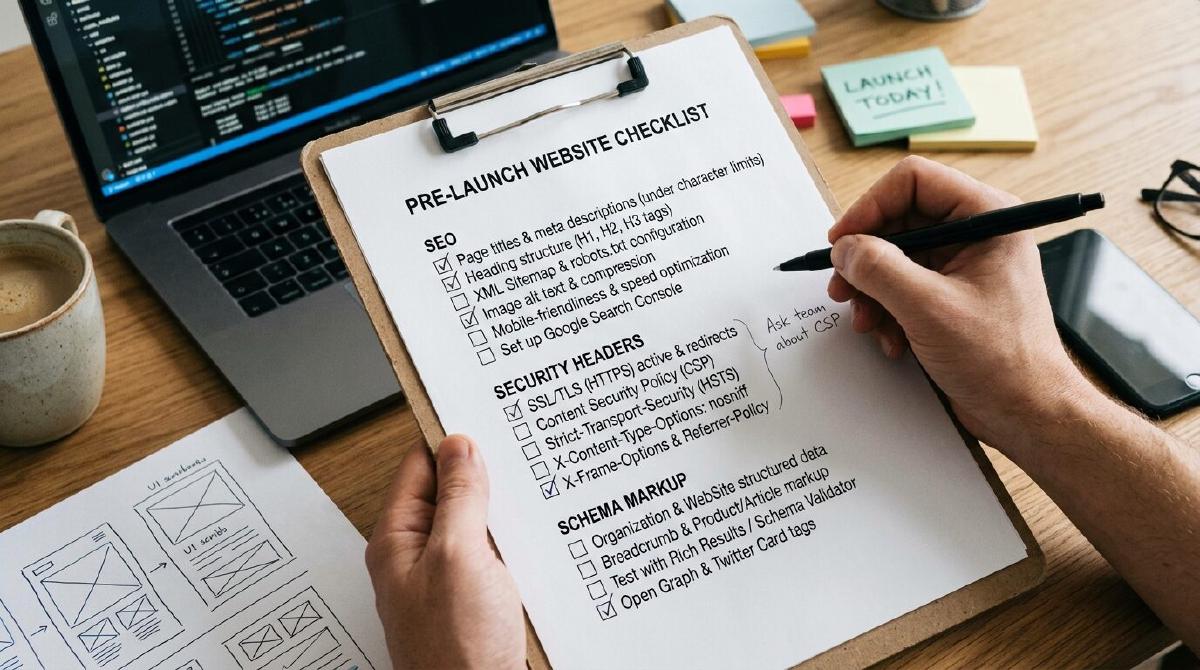
I can’t stress this enough. A website checklist is one of those things that feels boring until the day it saves you.
You pour your time, your energy, honestly a lot of yourself into building a website. And then months later you stumble across some small issue that quietly discredits all that effort. Makes your brand look bad. Or worse, it’s the reason you’re not getting the results you actually deserve, like not getting indexed properly or not ranking where you should be in search engines.
Want the checklist itself? Jump straight to it. Otherwise, here’s why it matters.
What Is Your Website Really Doing For You?#
Here’s the thing. Your website is your store. It’s just online, and it’s open from anywhere in the world, any hour of the day.
So think about that for a second. Would you run a physical store that’s slow to open, unstable, or unsafe for customers to walk into? No. So why would your website be any different?
Having a site that runs well, that’s stable, fast, secure, and able to withstand issues, that’s not optional. That’s critical. Even a minute of downtime can cause real financial loss for some businesses. If you’re still on the fence about how much your website actually carries for your business, I go deeper into that in why every business needs a website in 2026.
Does the Size of Your Website Even Matter?#
No, and that’s the truth. Big site, small site, doesn’t matter. A checklist is essential either way.
It’s the thing that helps you prevent problems before they happen, and it helps you get the maximum value out of your site. Without it, you end up rehiring people down the road just to go back and fix stuff that should’ve been right the first time.
What Should Actually Be On Your Website Checklist?#
So today I want to walk you through a comprehensive list of what you actually need for every website launch. Some of these are things you already know. Some of them, honestly, most people never even think about.
The standard stuff includes things like:
- Favicons
- On-page SEO
- Google Search Console tracking
- Open Graph tags, which matter way more than people think
That last one, Open Graph tags, is a big deal. It’s what makes your links look professional and display nicely when someone shares them. And then there’s the lesser known stuff too, like location KML files.
There’s also robots.txt and sitemaps. But it’s not just about having a sitemap. It’s about knowing where to submit it in Google Search Console, especially for a new site or whenever you make changes to your pages. You want to notify the search engines so they prioritize crawling your fresh content over sites that just aren’t being updated.
That covers what people can see. Now let’s talk about the stuff working quietly in the background, starting with security headers.
Why Do Security Headers Matter So Much?#
Security headers are another one people skip over. They’re simple text files that basically list out permissions.
But once you understand how to use them properly, tools like SecurityHeaders.com will show you just how much they harden your site. It’s one of those things that takes a little effort upfront and pays off in protection later.
Why Does Schema Markup Actually Matter?#
Product feeds and schema markup, depending on the type of business you run, are key too. Having all of this in place helps AI and search engines actually understand who you are.
What you do. What kind of business you run. What products or services you offer.
That’s why this stuff matters so much right now. It allows search engines and AI to serve your content to people looking for solutions, for services, or specifically for you, even if they don’t remember your exact name but they remember something about you and ask AI about it. You can check your own schema is working correctly using Google’s Rich Results Test.
Is Website SEO Really About Chasing Every Keyword?#
No, and I want to be really clear on this. SEO isn’t always about hunting down every possible keyword and cranking out hundreds of pieces of content.
That’s not a bad strategy, but a lot of real SEO improvement starts somewhere much simpler. It starts with a basic site audit and just getting the fundamentals right.
You also don’t have to perfect every tiny detail on that audit. But the standard foundational elements, those are crucial. Here’s what I’ve learned. The smaller details are what give you the edge over your competitors, especially the ones doing the basics just as well as you are. Winning on those small details, that’s what adds up over time.
How Should You Actually Use This Checklist?#
This checklist and these best practices aren’t strict laws you have to follow to the letter. They’re practical guides.
They’re there to help your website actually serve your customers and serve your goals better. That’s it. That’s the whole point.
This is the exact list I use when I build sites and migrate them from WordPress to static. I’ve done this on 35+ sites now, and once a site launches with everything on this list checked off, I almost never have to go back in. No post-launch fixes, no client complaints about something broken. That’s what catching this stuff before launch actually buys you.
Your Website Checklist, Ready to Use#
Here’s a simple starting point. Copy this, check things off as you go, and add your own items as your site grows.
- Favicon (+ Apple Touch Icon) — generate one with RealFaviconGenerator
- Site meta title & meta description on every page — reference: Google’s guide to title links & snippets
- Open Graph tags (title, description, image, url, type) — spec at ogp.me, test with Facebook Sharing Debugger
- Tracking installed (GA4 / GTM / etc.) — set up in Google Tag Manager
- Tracking disabled on dev/staging — use GTM environments to keep dev data out of production
- Robots.txt checked (index / no-index rules correct) — test with the robots.txt report in Google Search Console
- Sitemap checked and submitted in Google Search Console — submit at GSC Sitemaps
- Basic on-page SEO for all pages — reference: Google’s SEO Starter Guide
- Mobile responsive check — run your pages through PageSpeed Insights (Google retired the old Mobile-Friendly Test in favor of this)
- Schema markup added and validated — test with Google’s Rich Results Test and Schema.org Validator
- Security headers added, and confirmed they don’t conflict with your scripts — scan with SecurityHeaders.com
- Image optimization (compressed, proper formats, alt text) — compress with Squoosh
- Lighthouse check, issues found and fixed — run it from PageSpeed Insights or Chrome DevTools
- Accessibility check (contrast, ARIA, keyboard nav) — scan with WAVE
- Cookie banner in place and compliant — set up with a tool like CookieYes
- 404 page customized — check it loads correctly by visiting a broken URL on your live site
- Local fonts loaded properly — self-host Google Fonts with google-webfonts-helper
So don’t look at your website checklist as some rigid rulebook you’re being punished by. Look at it as the thing standing between you and all those small, avoidable mistakes that quietly cost you rankings, trust, and money. Get the fundamentals right, and everything else you build on top of your site gets so much stronger.